
Salaries
Salaries is where you record what each person is paid. Enter one figure and StaffMargin derives the three cost layers, net, gross, and full employer cost, so the cost rate behind every margin comes from a real salary.
What the Salaries page shows
Section titled “What the Salaries page shows”The page lists one row per salary, with the person, the pay cadence, and the three derived layers side by side.
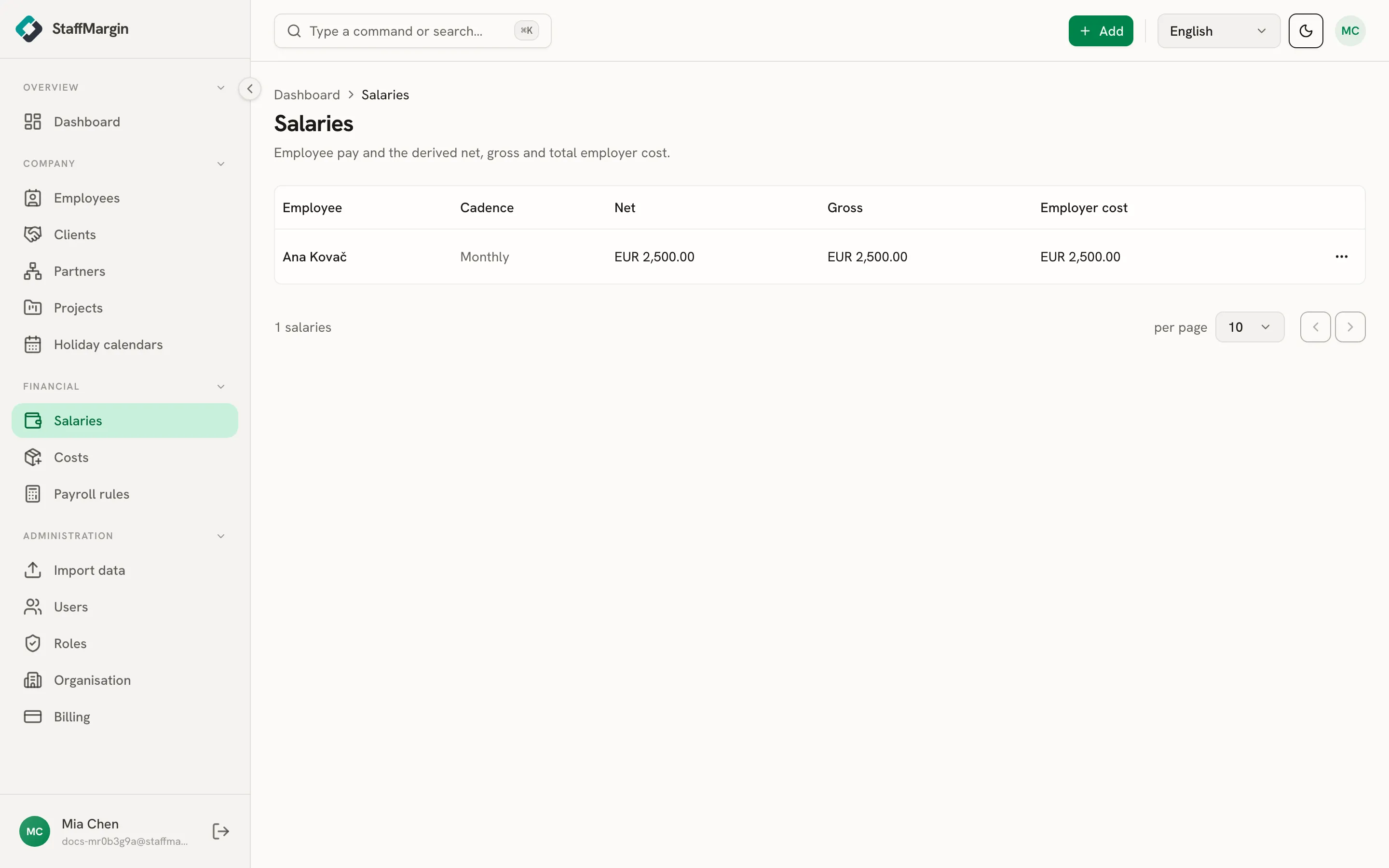
- Employee and Cadence (monthly, annual, hourly, daily, or fixed) say who and how they are paid.
- Net, Gross, and Employer cost are computed from your entered amount. Employer cost is the one margin uses.
Open a person to see their full salary history, every record that has applied over time.
Adding a salary
Section titled “Adding a salary”Add a salary from + Add, then Add salary, or from the Salaries page. Pick the employee, enter the amount, and say which layer it is.
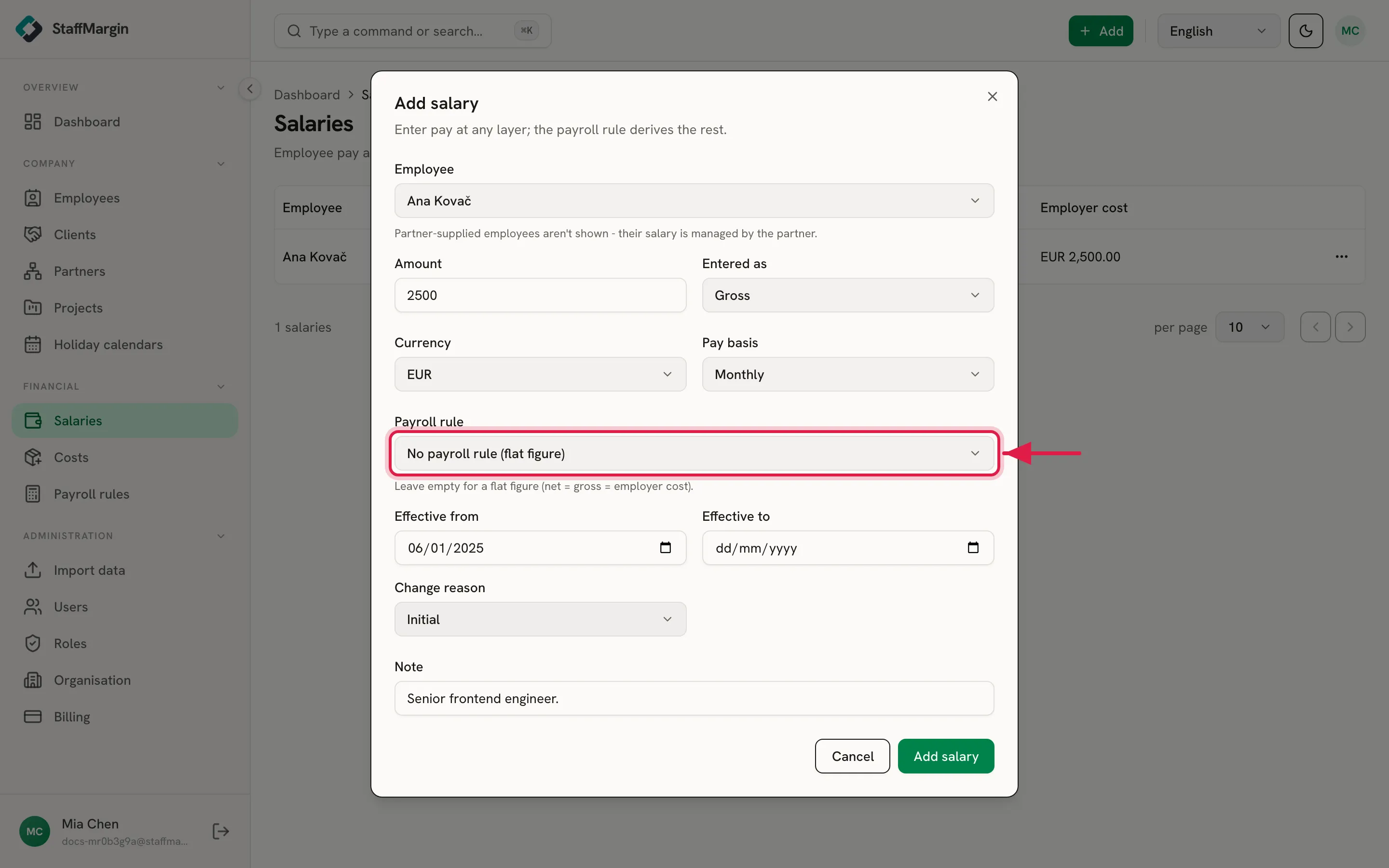
- Entered as tells StaffMargin whether your figure is net, gross, or employer cost. Most teams enter net, the take-home they agreed.
- Payroll rule is what grosses the figure up. Attach the payroll rule for the person’s country and StaffMargin adds the employer taxes and contributions to reach the employer cost. Leave it empty and the salary is a flat figure.
- Effective from dates the salary, so a change next quarter does not rewrite last quarter.
Net, gross, and employer cost
Section titled “Net, gross, and employer cost”The three columns are the same salary seen at three depths.
- Net is take-home, after the employee’s contributions and income tax.
- Gross is pay before those deductions.
- Employer cost is gross plus the contributions the employer pays on top. This is the true cost, and the number that flows into margin.
With a payroll rule attached, the three differ by the taxes in between. With no rule, they are the same number, because nothing is grossed up. See employer cost and the salary engine for the full calculation.
Adjusting pay over time
Section titled “Adjusting pay over time”Pay changes, and StaffMargin keeps the history. To record a raise or a correction, Adjust salary on the person. It closes the current salary the day before the new one starts and opens the adjusted record from its effective date, so nothing overlaps and the past stays intact.
Because every record is effective-dated, a margin you read for an old month uses the salary that applied then. Each change also carries a reason, so you can review the history with context.
Who can see salaries
Section titled “Who can see salaries”Pay is sensitive, so Salaries is its own access area, separate from Employees. A person can manage the team without seeing what anyone earns. You grant the Salaries area only to the people who should see or edit pay. See roles and permissions.
Related
Section titled “Related”- Employer cost and the salary engine
- How margin is calculated
- Payroll rules
- Employees
- Roles and permissions
- Multi-currency and historical rates