
Costs
Costs is for the spend that is not salary: software seats, equipment, subscriptions, bonuses, training. You record a cost once, then split it across the people who use it, so it shows up in their margin instead of sitting in a general overhead line. Anything you do not split stays as company overhead, where you can still see it.
What the Costs page shows
Section titled “What the Costs page shows”The page lists each cost with how it is priced and how much of it is allocated.
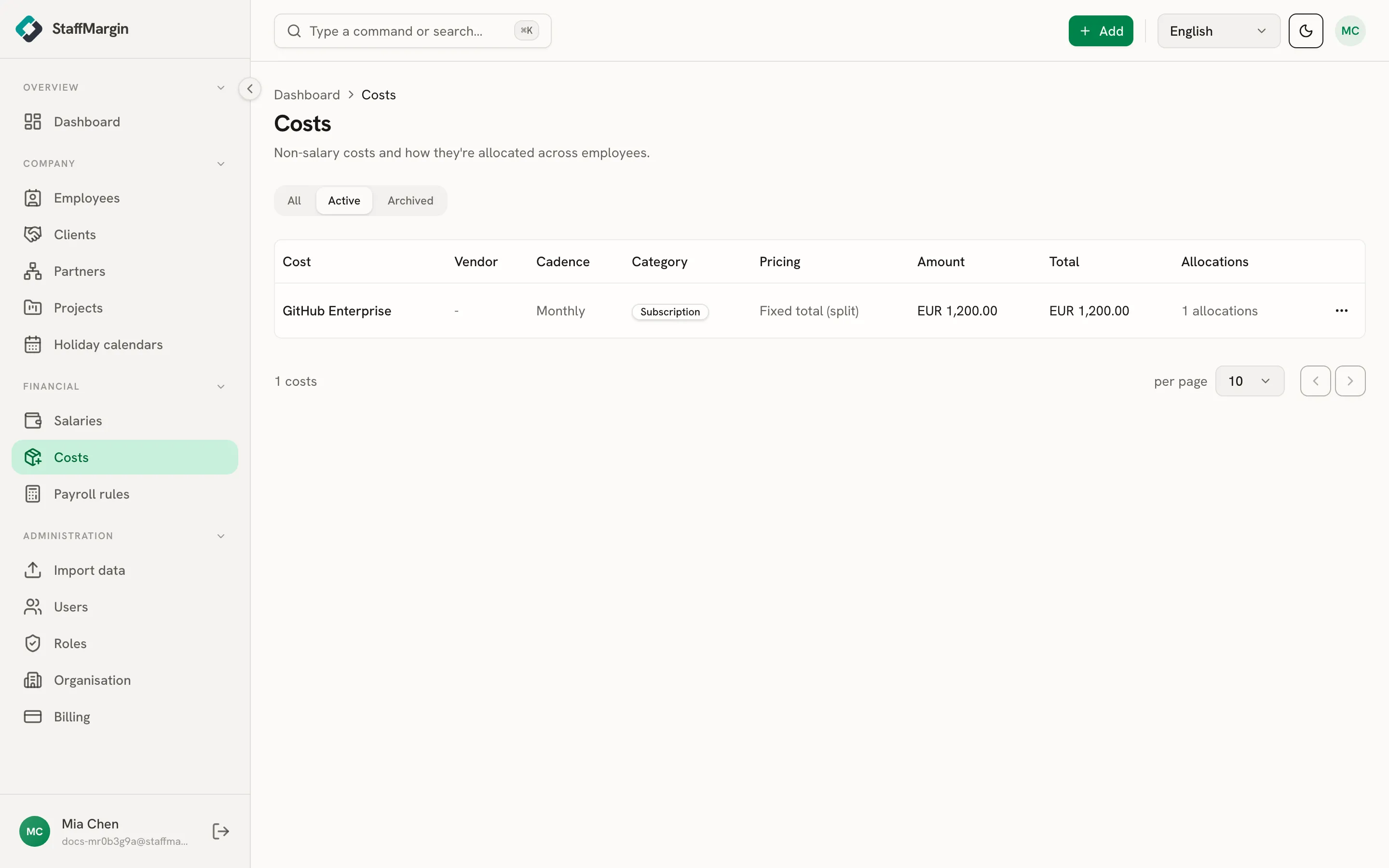
The columns cover the Cost and its Vendor, the Cadence (one-off, monthly, quarterly, or yearly) and Category, the Pricing mode, the Amount, the Total for the period, and the Allocations status, so you can see at a glance what is still sitting in overhead.
Adding a cost
Section titled “Adding a cost”Add a cost from + Add, then Add cost. Give it a label, pick a category and how often it recurs, and set the amount and currency.
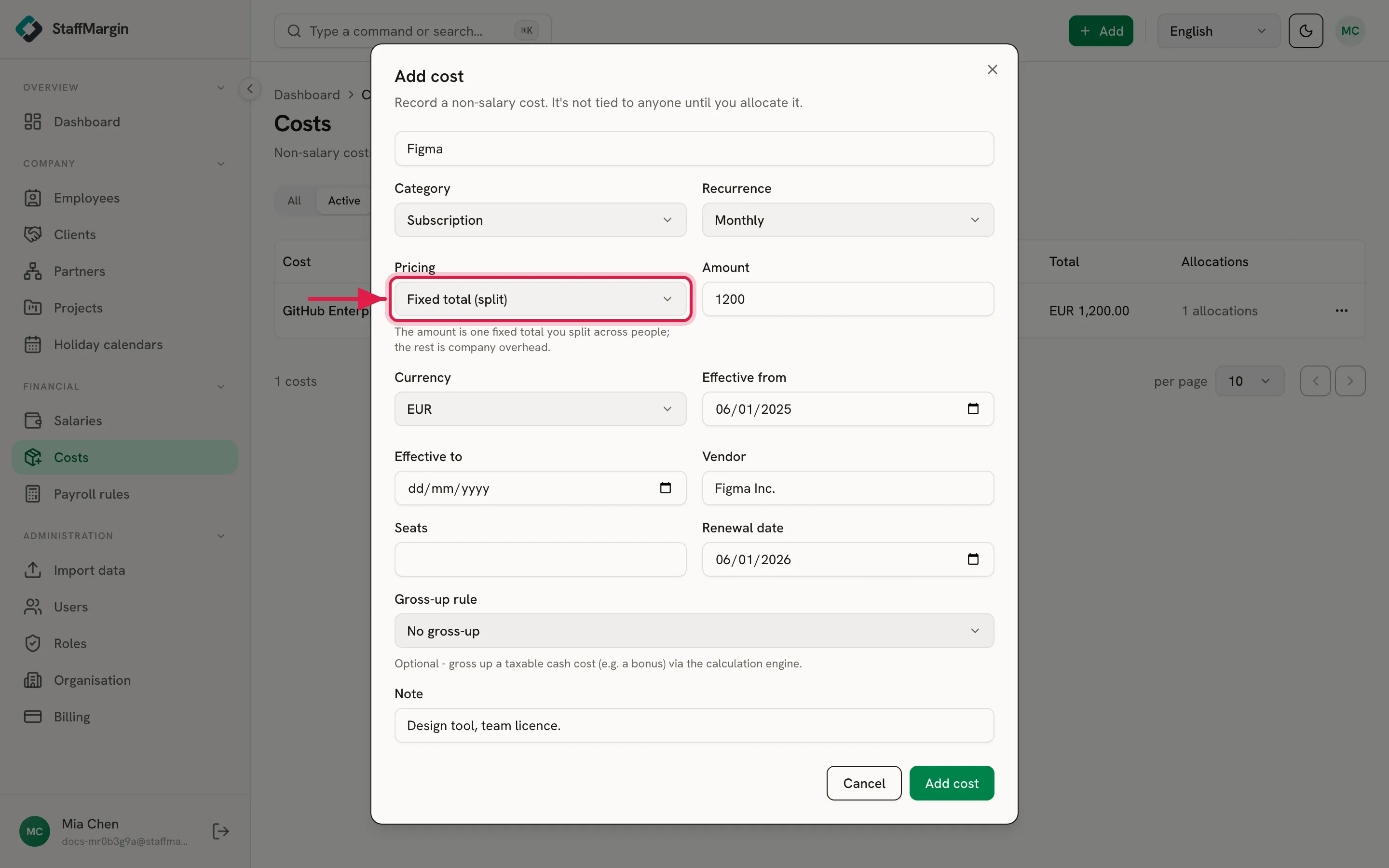
The Pricing mode is the choice that matters most. It decides what the amount means and how the cost splits.
- Fixed total (split): the amount is one total you divide across people. Whatever you do not allocate is company overhead.
- Per person: the amount is a per-seat price. Each person you assign adds that price to the total, so the cost grows with headcount.
A cost also takes an effective date, an optional vendor, and, for a taxable cash cost like a bonus, an optional gross-up rule. Attach a payroll rule there and StaffMargin grosses the bonus up to its real employer cost, the same engine that handles salaries.
Allocating a cost
Section titled “Allocating a cost”A cost on its own is just spend. Manage allocations is where you turn it into margin by assigning it to people.
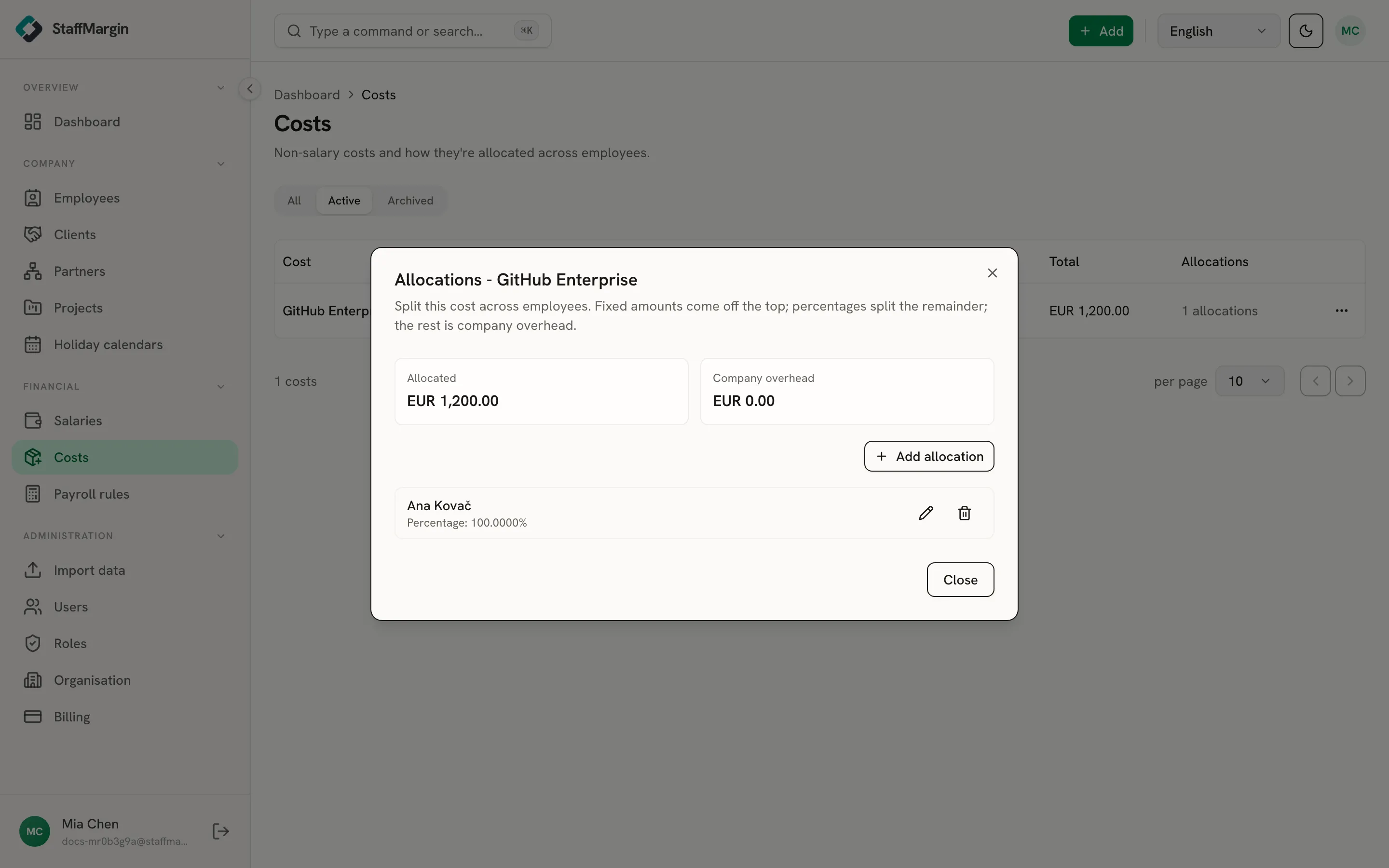
For a fixed-total cost, you split it by a percentage of the remainder or a fixed amount per person. For a per-person cost, you set a quantity of seats per person. The view always shows two running totals: the amount allocated to people, and the company overhead left over. Allocations are effective-dated, so a seat someone gave up last quarter stops counting from the day it ended.
How costs reach margin
Section titled “How costs reach margin”Every cost becomes a monthly run-rate first: a recurring cost spreads its yearly occurrences across twelve months, a one-off spreads across its own dates.
It then splits two ways. Allocating a cost to a person adds it to their loaded cost, alongside salary, and lowers their loaded margin. Anything left unallocated stays as company overhead and appears only in operating margin, never pushed onto an individual. The more you allocate, the less sits in overhead. See how margin is calculated.
Related
Section titled “Related”- How margin is calculated
- Quickstart
- Employees
- Payroll rules
- Your dashboard
- Multi-currency and historical rates