
Partners
A partner is an outsourcing firm that supplies people you place on client projects. You record the partner once, then mark the people it supplies as belonging to it. From there StaffMargin tracks the commission you keep rather than a salary you do not pay. Partners are part of the Growth and Pro plans.
What the Partners page shows
Section titled “What the Partners page shows”The page lists each partner with the details you need to work with them.
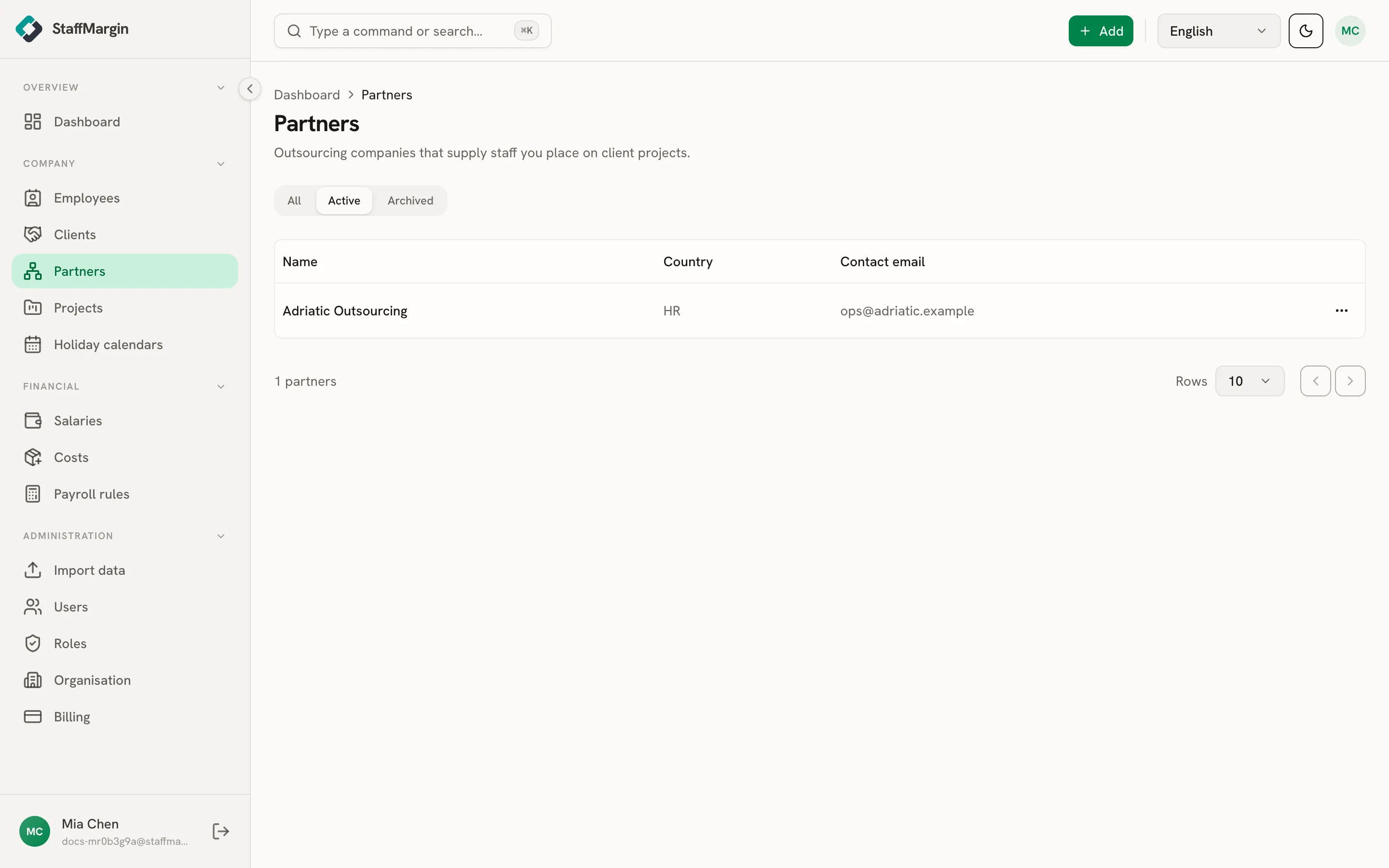
The columns are the Name, the Country, and the Contact email. Open any partner to see the people it supplies and the margin they bring.
Adding a partner
Section titled “Adding a partner”Add a partner from + Add, then Add partner. Only the name is required.
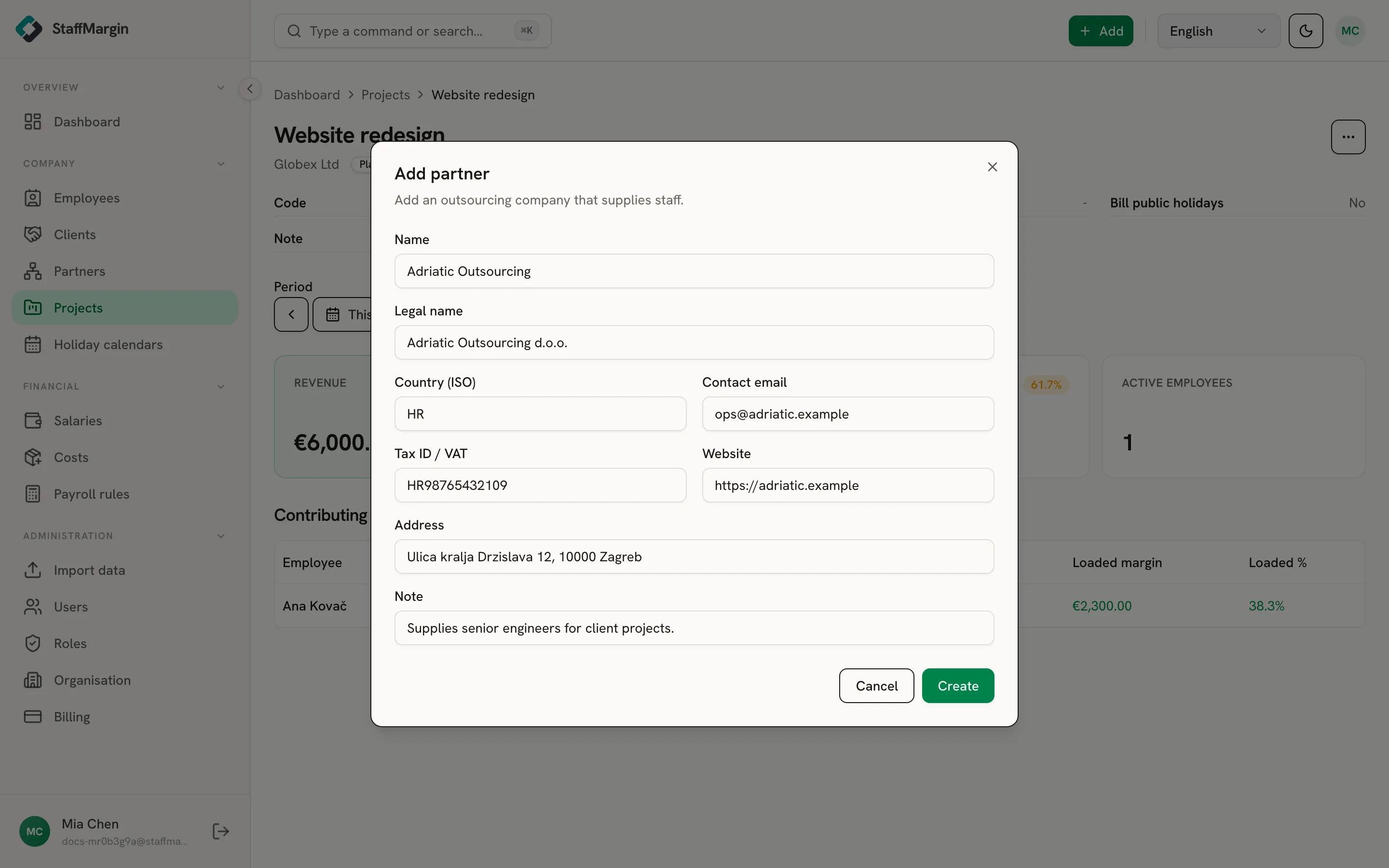
The rest are for your records: a legal name, the country, a contact email, a tax ID or VAT number, an address, a website, and a note. A partner carries no currency and no commission of its own, because commission is set per project assignment, so the same partner can be placed at different cuts on different work.
A partner’s profile
Section titled “A partner’s profile”Open a partner to see its profile: its contact details, the people it supplies, and where they are working.
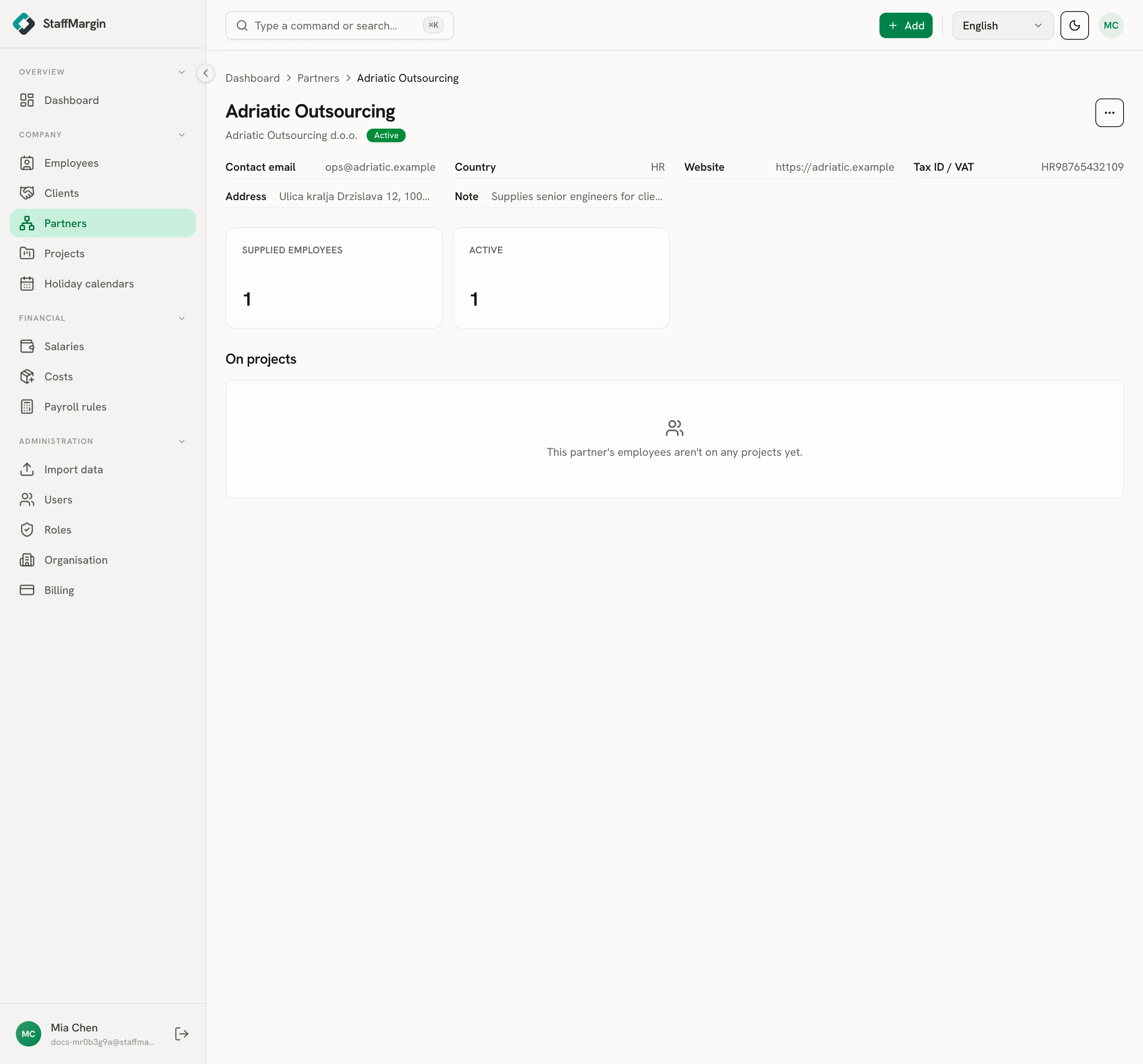
The cards count the partner’s supplied employees and how many are active. The On projects section lists the people this partner supplies that are on a project, so you can see what the partner is delivering at a glance. Use Add employee on the partner to bring on a person it supplies, already linked to it, so their commission margin shows up against the partner.
Partners and margin
Section titled “Partners and margin”The point of a partner is the margin on the people it supplies. You add a supplied person as an employee, set their supplying partner, and they become a subcontractor: no salary, and you keep a commission of the bill rate instead. That commission flows into the same margin views as your own staff.
The full logic, with a worked example, is in partner and subcontractor margins.