
Projects
A project is the client work you bill for. You create it under a client, assign the people who deliver it at a billing rate, and the project shows you its revenue, cost, and margin. It is where the rate you charge meets the cost of the people charging it.
What the Projects page shows
Section titled “What the Projects page shows”The page lists each project with its client, status, and how many people are on it.
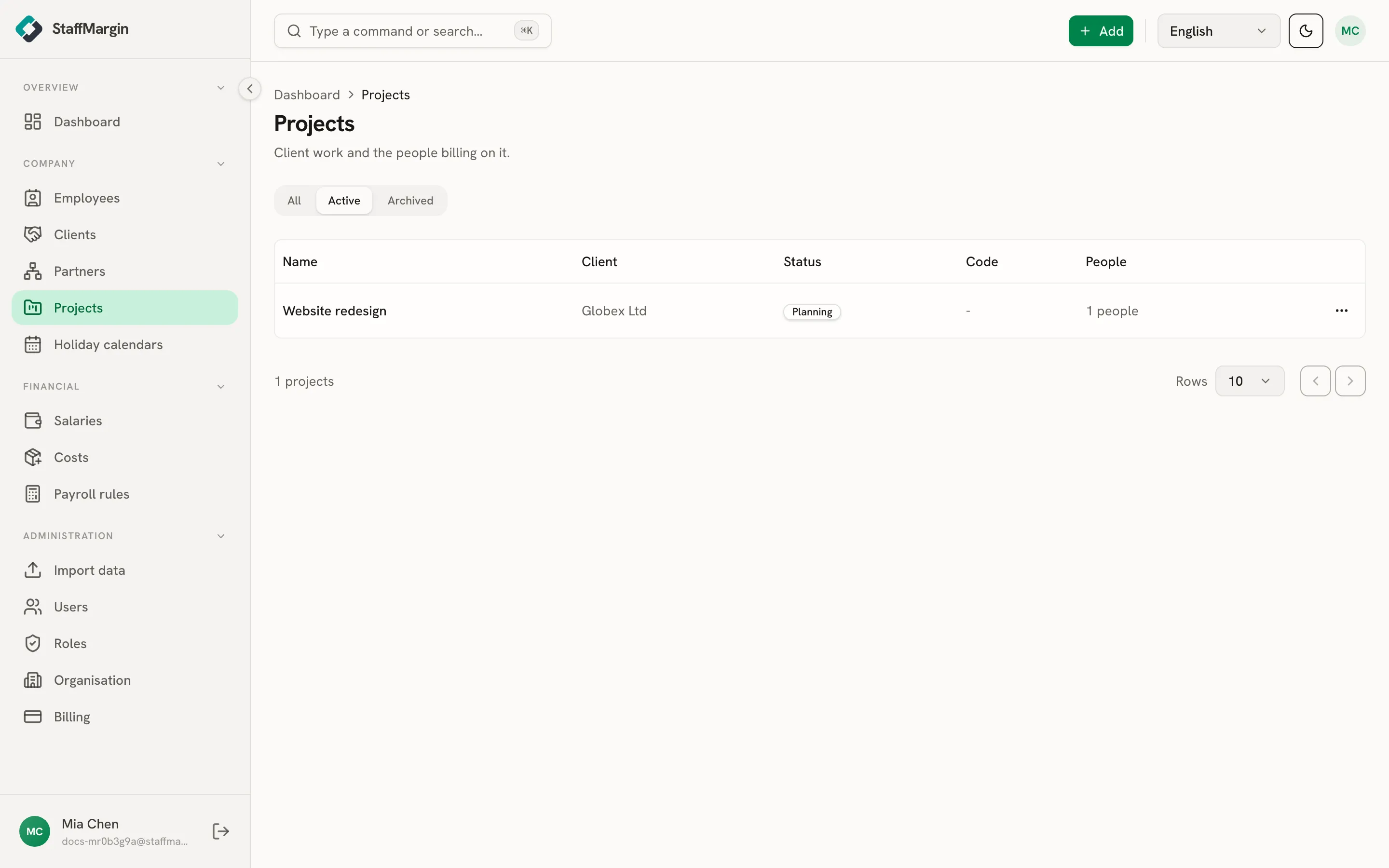
The columns are the Name, the Client, the Status (planning, active, on hold, completed, or cancelled), the Code, and the People count. Filter by active or archived from the top.
Creating a project
Section titled “Creating a project”Add a project from + Add, then Add project. Pick the client and give it a name. A code, dates, and status are optional. The quickstart walks through it.
One option shapes revenue: Bill public holidays. By default, public holidays reduce a person’s billable days, so time-based revenue falls in a holiday-heavy month. Turn this on for a flat monthly engagement, where holidays should count as billable and not be deducted. See how margin is calculated.
Assigning people
Section titled “Assigning people”A project earns nothing until someone is on it. Open Manage people on a project, then Add person, to put an employee on it at a rate. Each assignment carries:
- A rate type and rate amount: monthly, daily, hourly, weekly, or a fixed fee. This rate is the project’s revenue from that person.
- An engagement percent, for splitting someone across projects: 100 for full-time on this one, 50 for half.
- A commission percent, for a subcontractor, where you keep a cut of the bill rate. See partner and subcontractor margins.
The same person can sit on several projects at different rates, and each assignment is dated, so moving someone off does not rewrite the past.
The project’s margin
Section titled “The project’s margin”Open a project to see its profile: the revenue it brings in, the cost of the people on it, and the margin, plus the contributing employees and what each one earns the project.
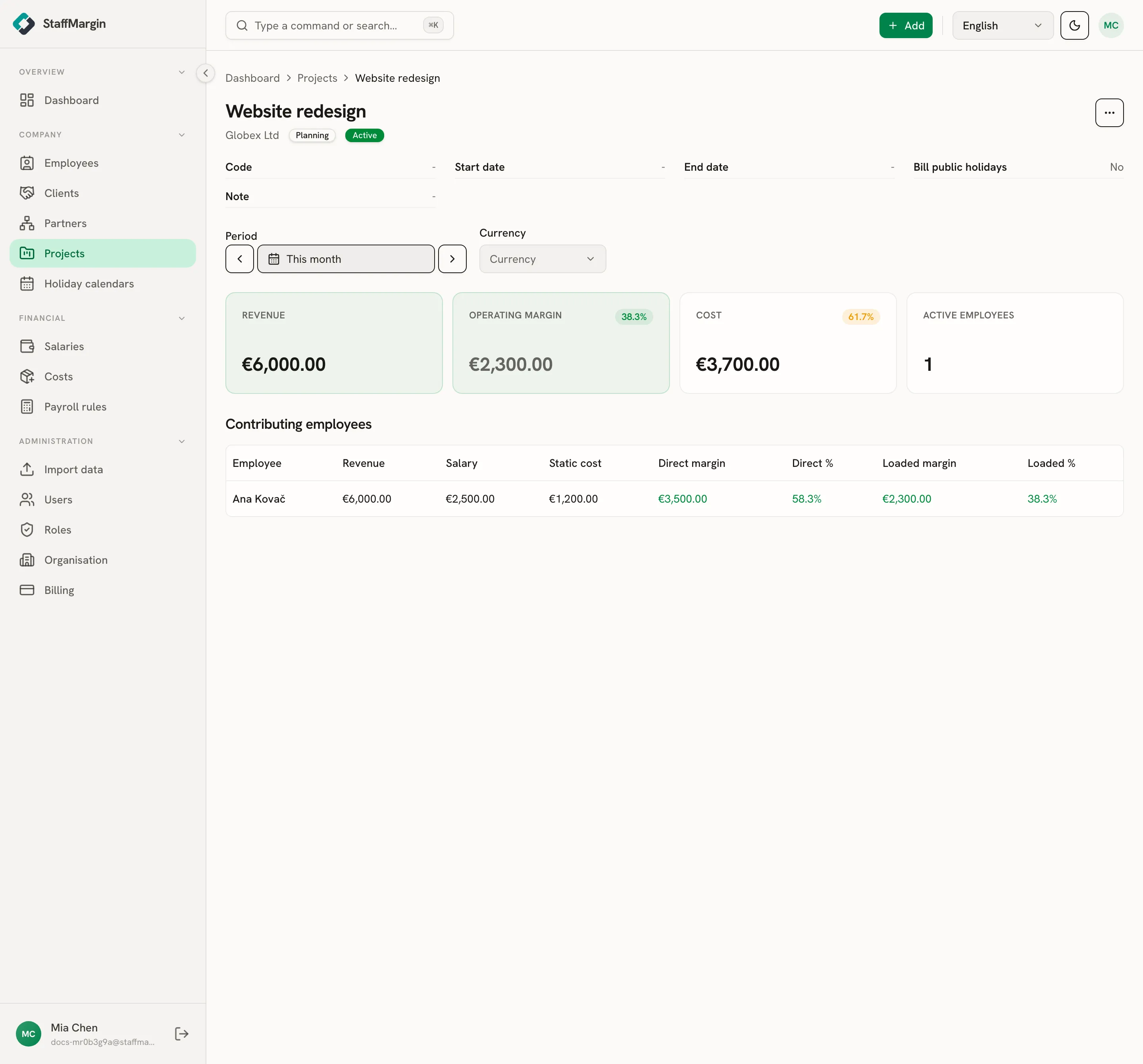
It is the margin model focused on one piece of work. A project’s revenue is the sum of its assignments’ rates, and its cost is the loaded cost of the people on it for the period, so the margin tells you whether the work pays for itself.
How project margin rolls up
Section titled “How project margin rolls up”Project margin feeds the bigger picture. Each project rolls up into its client, and on the dashboard you can switch the view to projects to rank every piece of work by margin, in one reporting currency even when projects bill in different ones. See multi-currency and historical rates.
Related
Section titled “Related”- How margin is calculated
- Clients
- Employees
- Partner and subcontractor margins
- Holiday calendars
- Your dashboard