
Billing and plans
Billing and plans shows the plan your workspace is on, what it includes, and your current usage against its limits. Your plan decides which features are available and how many employees, currencies, and country profiles you can track.
Your current plan
Section titled “Your current plan”The page shows your plan, its status, and the features it grants.
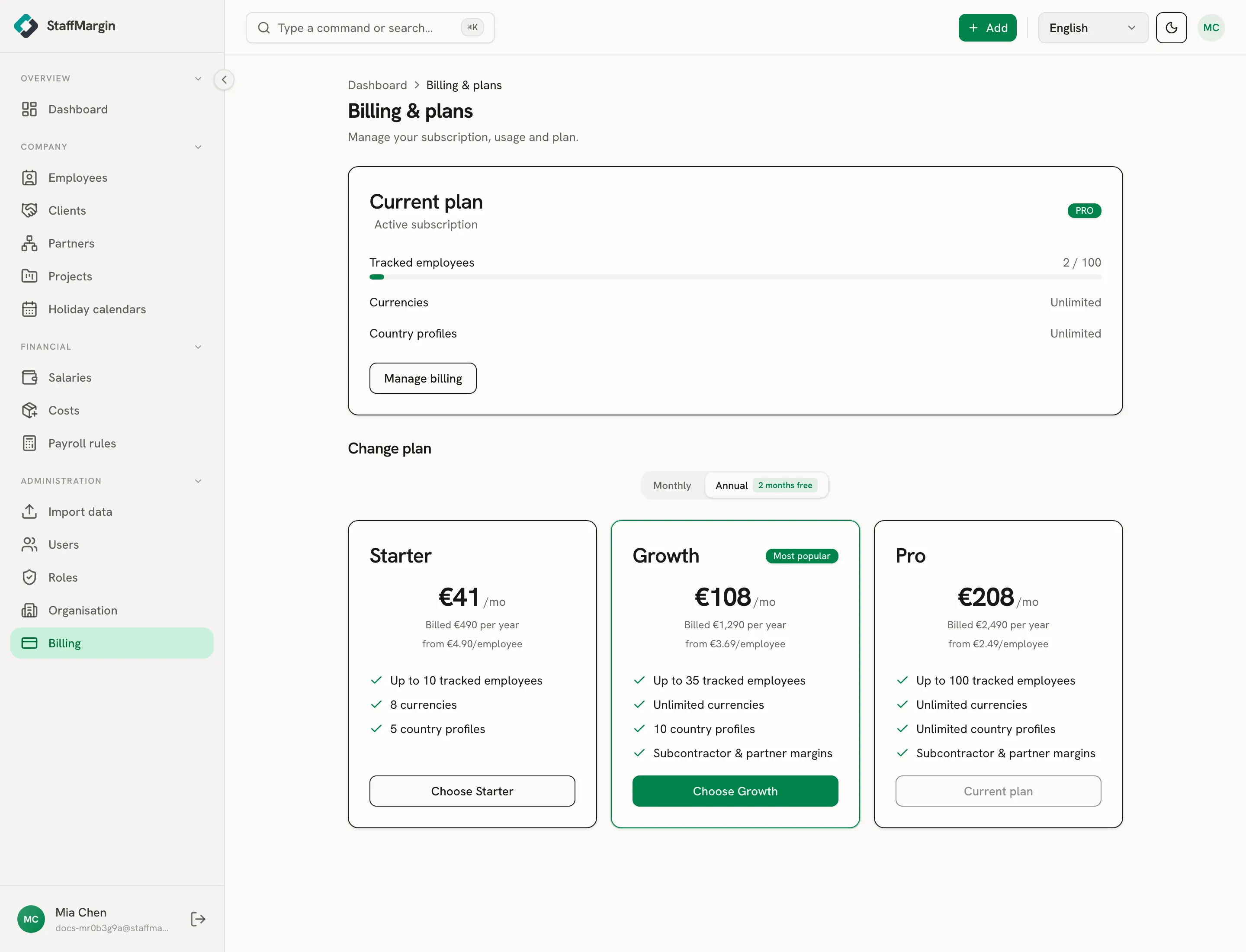
A live subscription shows as active. A workspace still in its trial shows the days remaining. The feature list reflects exactly what your plan includes, so you can see at a glance what you have and what an upgrade would add.
What the plans include
Section titled “What the plans include”StaffMargin has three plans, each a superset of the one below.
- Starter covers the core: track employees, record salaries and costs, and read margin in a limited set of currencies and country profiles.
- Growth raises the limits and adds subcontractor and partner margins, so you can track partner-supplied people and the commission you keep on them.
- Pro lifts the limits highest: the largest employee count, and unlimited currencies and country profiles, with subcontractor margins included.
The features that depend on your plan are flagged where you meet them. Partners only appears on Growth and Pro, for example, regardless of your role.
Changing plan
Section titled “Changing plan”Upgrade or downgrade from this page. A change takes effect on your subscription immediately, and any feature it adds becomes available across the app with no re-login. If a downgrade would put you over a limit, StaffMargin tells you what to reduce first.
Related
Section titled “Related”- Partner and subcontractor margins
- Multi-currency and historical rates
- Roles and permissions
- Import data