
Payroll rules
A payroll rule captures one country’s payroll, the employee and employer contributions and the income tax, so StaffMargin can turn a salary into its full employer cost. Define it once, attach it to salaries in that country, and every breakdown follows the same rates. You start from a country template, not a blank form, and each rule is versioned so an old salary always reproduces.
What the Payroll rules page shows
Section titled “What the Payroll rules page shows”The page lists each rule with the country it covers and where it stands.
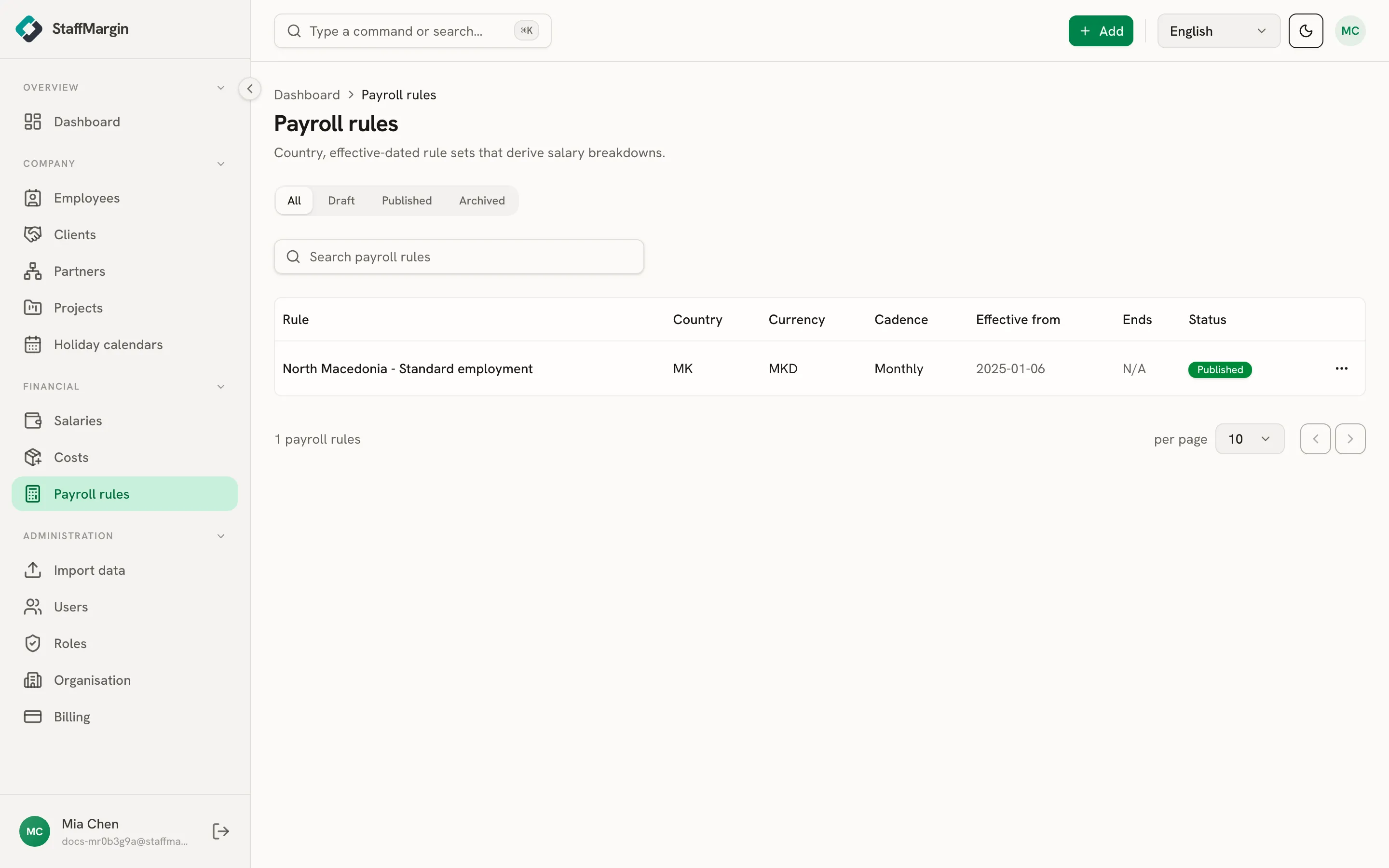
The columns name the Rule and its Country and Currency, the Cadence the rates are quoted in, the Effective from and Ends dates, and the Status. A rule is a Draft while you build it, Published once it is in use, or Archived when retired.
Starting from a country template
Section titled “Starting from a country template”You do not write the rates by hand. In Add payroll rule, pick a country under Prefill from a country and StaffMargin fills the form with that country’s contributions and tax brackets.
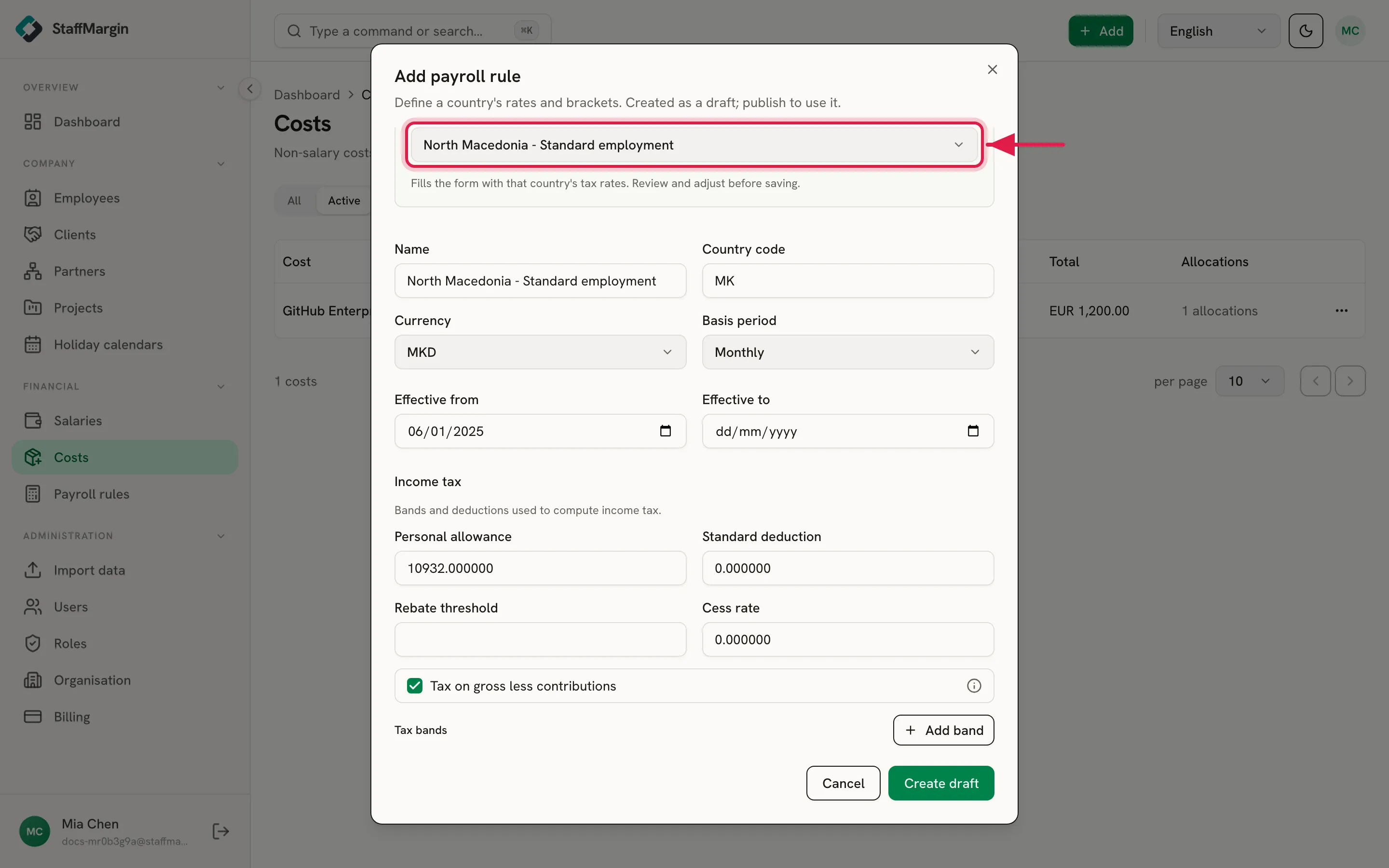
StaffMargin ships templates for priority markets, including North Macedonia, Bulgaria, Romania, Georgia, and Ukraine. The template fills the form with a starting point, and the draft you save is your own copy: review the rates, set the name and effective date, then save. Because the engine is fully declarative, you can also build a rule for any country from the same contribution and tax parts. See employer cost and the salary engine for what those parts mean.
Draft, publish, and versioning
Section titled “Draft, publish, and versioning”A new rule is created as a draft. You can edit a draft freely while you get the rates right. When it is ready, Publish it.
Publishing locks the version. From then on it is immutable, and a correction or a new tax year creates a new dated version. StaffMargin records which exact version each salary used, so a breakdown you calculated last year does not shift when this year’s rates land. The same idea covers exchange rates in multi-currency and historical rates.
Attaching a rule to a salary
Section titled “Attaching a rule to a salary”A rule does nothing until a salary points at it. On a salary, set the Payroll rule field to the published rule for that person’s country. StaffMargin then derives the net, gross, and employer cost from the rates in the rule.
Leave a salary’s payroll rule empty and it stays a flat figure, where net, gross, and employer cost are the same number. Attach a rule and the three separate by the taxes and contributions in between.
Related
Section titled “Related”- Employer cost and the salary engine
- Salaries
- How margin is calculated
- Multi-currency and historical rates
- Employees