
Time off
Time off is the leave you record against a person: a holiday, a sick day, any range they are not working. StaffMargin counts the working days in that range, skipping weekends and public holidays, and takes them out of the person’s billable days. Their time-based revenue falls for that period while their salary stays the same, so margin reflects the days they could actually bill.
What time off is for
Section titled “What time off is for”Time off exists here for one purpose: getting margin right. It records which working days a person could not bill, so revenue reflects what really happened. It is not a leave-management or time-tracking system, and it does not log hours or attendance.
Keep using your HR, payroll, or PTO tools to request, approve, and track leave. You record the outcome here so it lands in the margin, nothing more. StaffMargin reports the margin, it does not run your time off.
Allocating time off
Section titled “Allocating time off”You allocate time off from a person’s profile. Open the employee, then Allocate time off, and give the range.
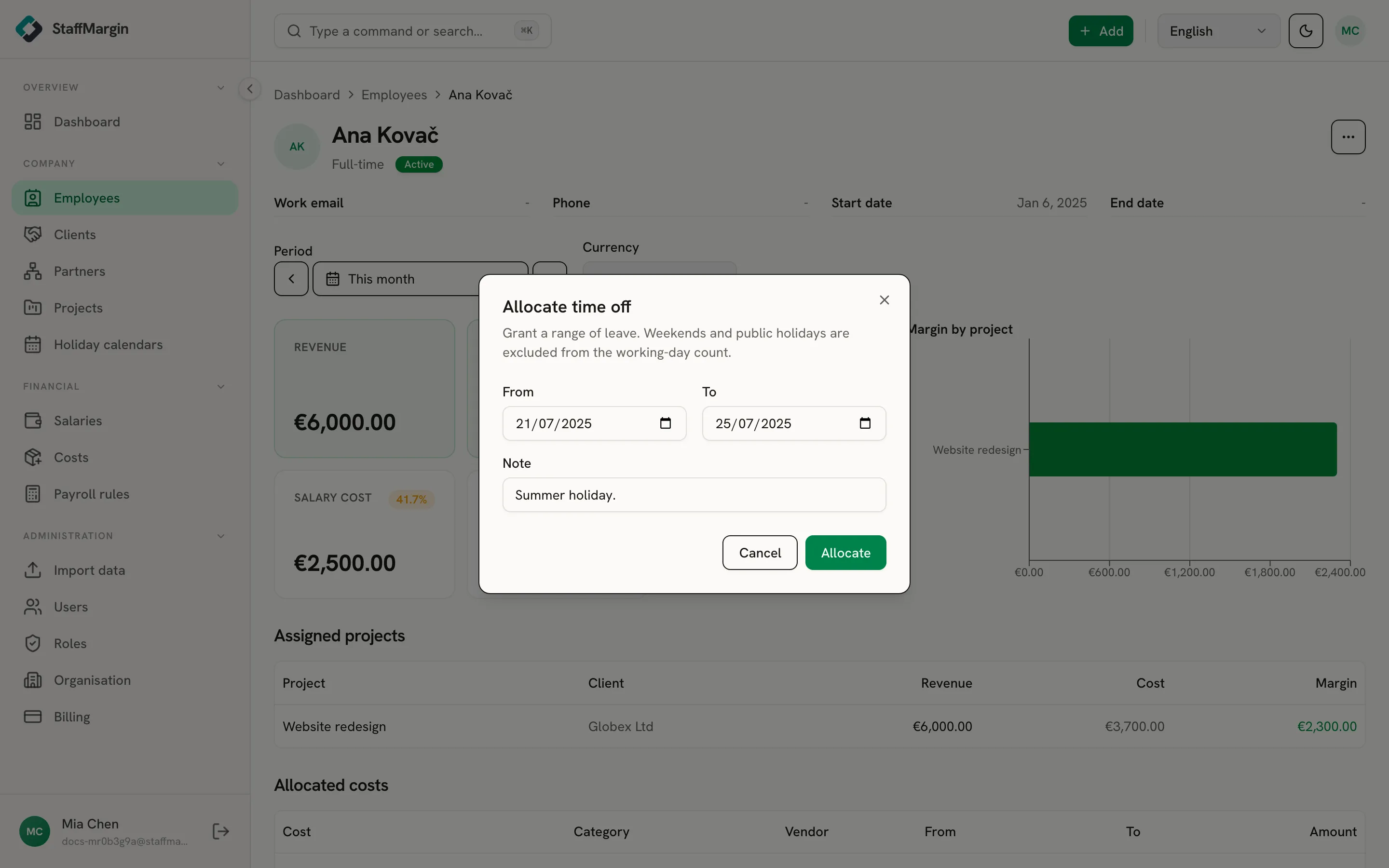
Set a From and To date and an optional note. StaffMargin works out the working days in the range for you. It counts weekdays and skips weekends and the public holidays on the person’s holiday calendar, so a holiday inside the range is never counted twice.
How time off affects margin
Section titled “How time off affects margin”Time off lowers a person’s billable days, the same lever public holidays pull. For a day, hour, or week rate, fewer billable days means less revenue for that period, so the margin tightens. A flat monthly or fixed-fee assignment does not move, because it does not depend on the day count.
Salary stays put. You still pay someone while they are on leave, so only time-based revenue changes, never the cost. See how margin is calculated for where billable days fit.
The time-off list
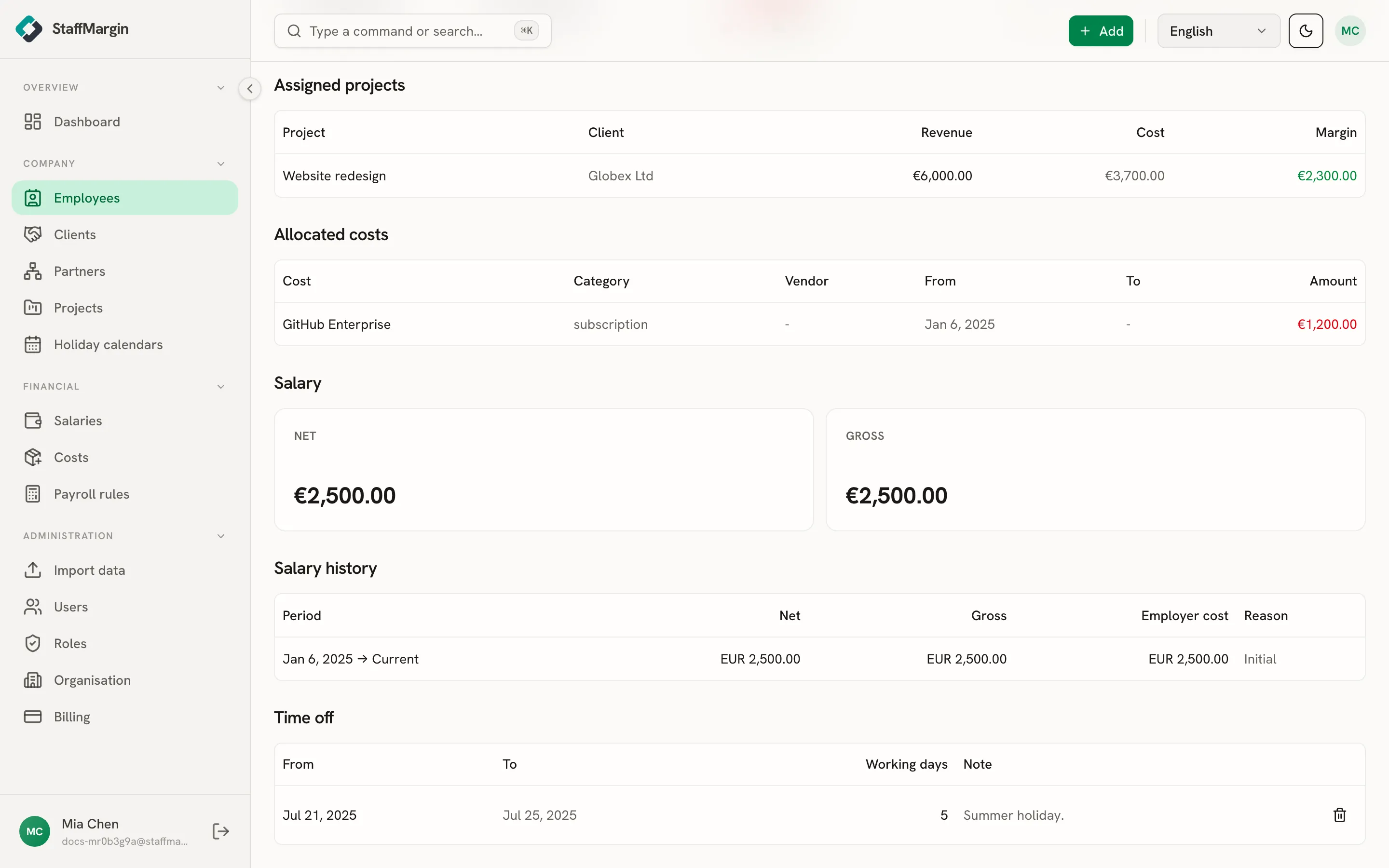
Section titled “The time-off list”Each person’s profile lists their time off in a Time off section, with the From and To dates, the computed working days, and any note. Remove an entry with Delete, and StaffMargin updates any billing the range had affected.
Billing time off
Section titled “Billing time off”Sometimes leave should still be billed, for example a flat monthly engagement where the client pays regardless of who is in the office. A project can override the default with Bill time off: turn it on and the project counts time off as billable days, so it is not deducted from revenue. It works like the Bill public holidays option next to it. See projects.