
Employees
Employees are the people you bill clients for. Each one carries the employment details that shape their cost and capacity, and each has a profile that shows their own revenue, cost, and margin. Add your team here, then open a person to see exactly what they bring in.
What the Employees page shows
Section titled “What the Employees page shows”The page lists each person with their employment type, status, and start date. You can filter by active or archived.
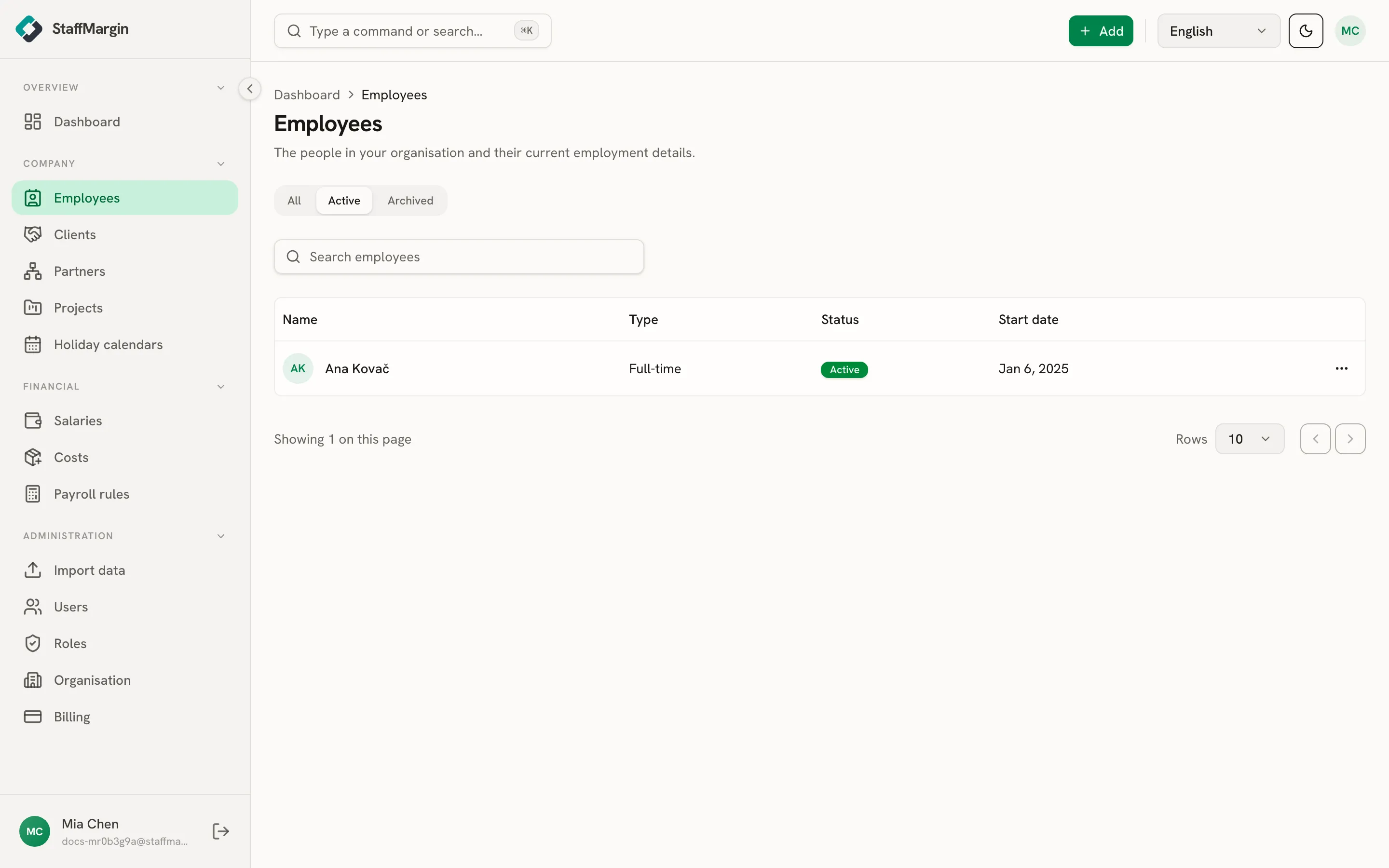
The columns are the Name, the employment Type, the Status (active, on leave, suspended, or terminated), and the Start date.
Adding an employee
Section titled “Adding an employee”Add a person from + Add, then Add employee. Only the first name, last name, employment type, and start date are required. The quickstart walks through the full flow, including the salary step that follows.
Two optional links matter for margin:
- Holiday calendar sets the public holidays that reduce the person’s billable days, so a holiday-heavy month lowers their time-based revenue. See holiday calendars.
- Supplying partner marks the person as a subcontractor. Their pay is the partner’s, so StaffMargin holds no salary for them and tracks your commission instead. See partner and subcontractor margins.
Pay itself is separate. A salary lives in salaries, its own access area, so managing people never exposes what they earn.
The employee’s margin profile
Section titled “The employee’s margin profile”Open a person to see their profile. It shows their employment details and their numbers. The top cards show the revenue they brought in, their cost, and the margin, for the period.
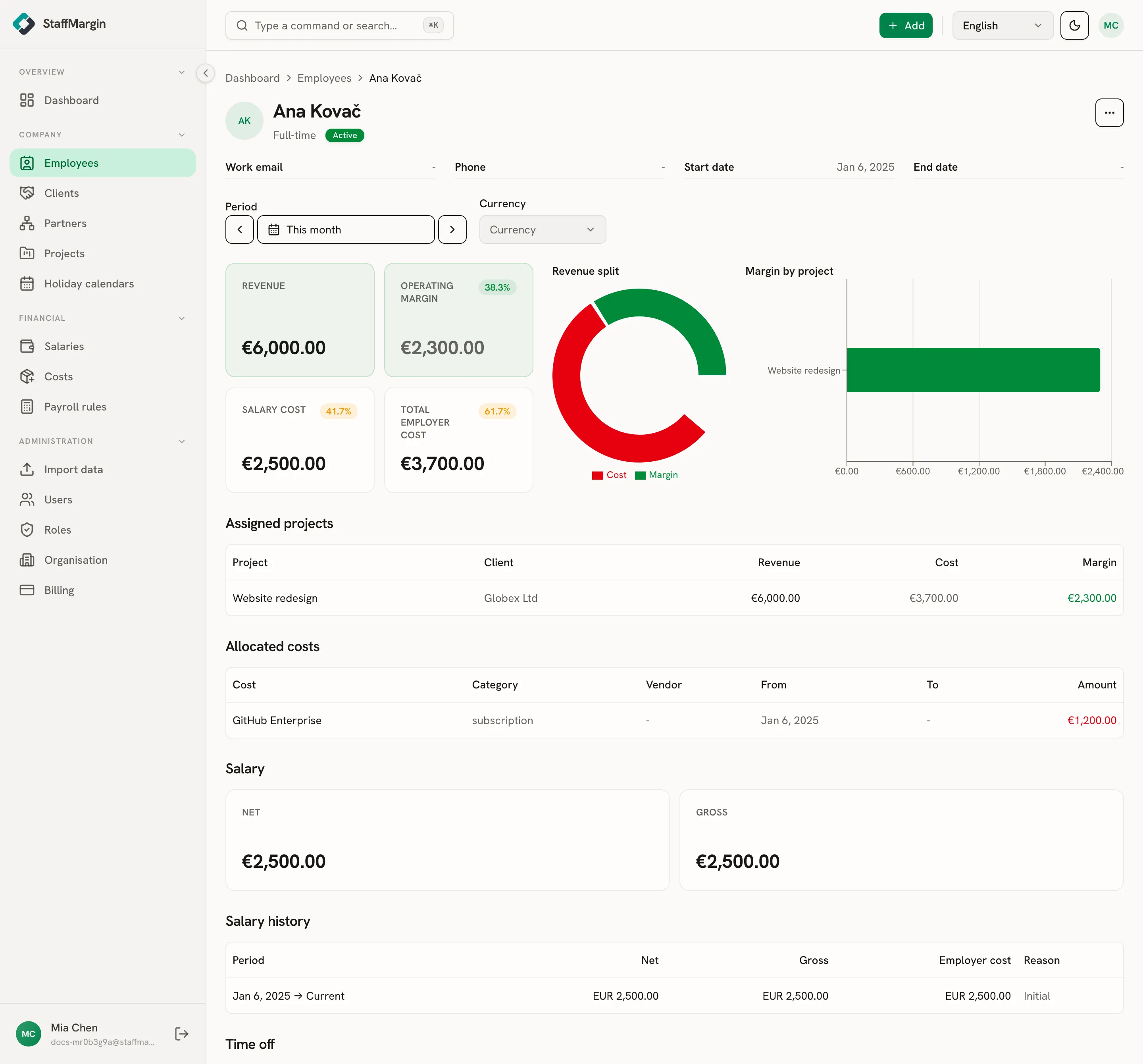
Below the headline cards, the profile breaks the person down: their margin by project, the assigned projects that earn their revenue, the allocated costs they carry, and their salary history over time. It is the same margin model as the dashboard, focused on one person, so you can see who pays for themselves and who does not.
From here you can adjust their salary, allocate a cost to them, or put them on a project, without leaving the page.
Capacity, dates, and status
Section titled “Capacity, dates, and status”A few employment fields feed the cost engine directly.
- Weekly hours set the person’s capacity. For hourly or daily pay, a part-timer costs a fraction of a full-timer in proportion to their hours.
- Start and end dates bound when the person counts. A mid-month start prorates that month, and an end date stops them counting after it.
- Employment status records where they stand (active, on leave, suspended, terminated) without deleting history.
These shape the cost side of margin. See how margin is calculated and employer cost.
Related
Section titled “Related”- How margin is calculated
- Salaries
- Holiday calendars
- Partner and subcontractor margins
- Projects
- Quickstart